Product
Unlock creative fan experiences with Get Moments video templates
Get Moments
|
|
6
min read

Short-form video is at the heart of the Get Moments platform. Although there are a wide variety of other features like the Feed, Friends, or end-screen CTAs, the magic is powered by the recap videos our platform creates.
Every recap video includes videos and photos that the fan took themselves, so no two videos are ever the same—but content isn’t the only differentiator. You can choose from among different video templates when you set up your event activity in Backstage (our admin dashboard).
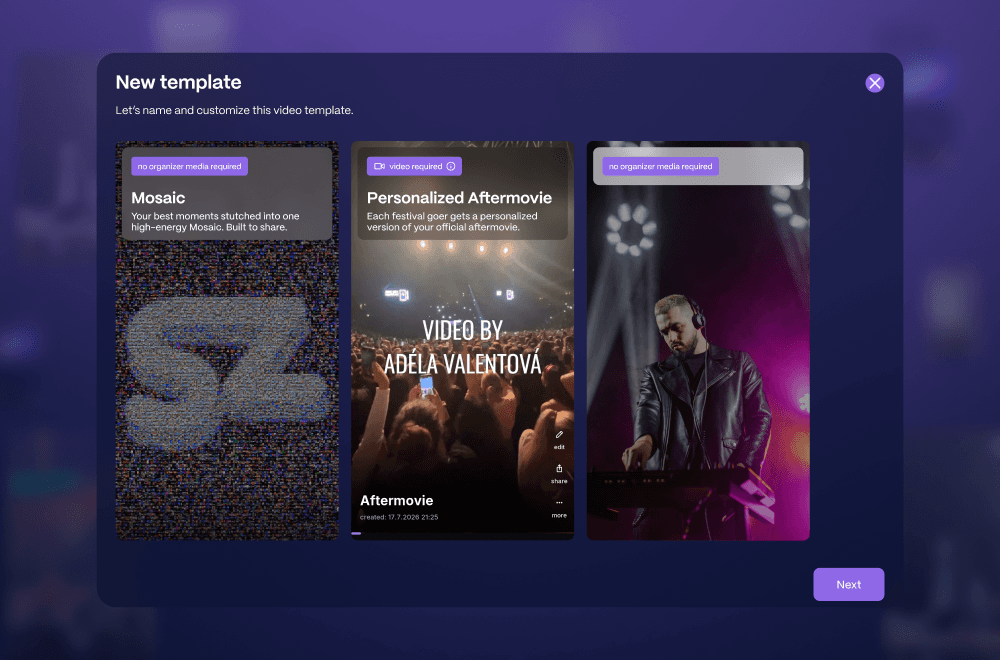
The video templates dictate the flow, timing, and sometimes the outro for every recap video made using that template. Those templates can also be visible to fans in the app, which is where they upload their content to create recaps.
Let’s take a look at each template option and some creative ideas for how you can use each one for a different fan engagement activation. A video is worth a million words, so we’ve also included some samples of recaps made with the templates.
Mosaic
This template generates a video that is made of 100% fan-shot content. Every frame is theirs, as opposed to being a combination of fan-shot footage plus official event footage. The key piece of this template is the outro, the final series of frames, when the fan’s content comes together to form a mosaic image. Each photo and video makes up one tile of the mosaic.
What image is being formed, you ask? That’s up to you (and your sponsors). The final image can be the event logo, a sponsor’s logo or product, an emoji, an icon. The only limit is what you come up with.
Why this works
High-energy, short-form content that’s been personalised is exactly what people want to see on their social feeds. With higher shareability, Mosaic recaps carry branding farther and faster than just waiting for your fans to upload event content on their own.
The format at the end keeps the viewer watching all the way through by playing on their curiosity and anticipation to unveil the final image.
Aftermovie
Don’t let the name fool you, this template works for any event from music festival to football match. The classic Get Moments template, Aftermovie splices together fan content they’ve uploaded with official event footage that you, the event organiser, have uploaded for this purpose.
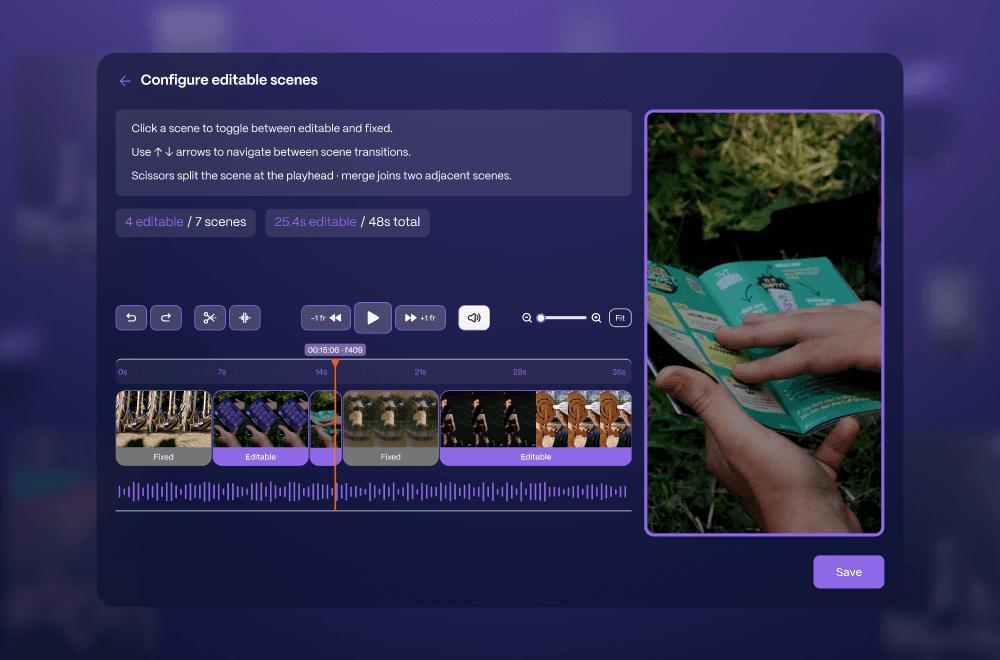
For a music festival, that’s the final festival aftermovie. For sports, that could be a highlight reel with the best breathless moments from the match. Our platform takes the fan footage (UGC) and the official footage and—based on how you’ve set it up in Backstage—swaps out official scenes for UGC scenes.
Why this works
The Aftermovie template brings together the best of both worlds, combining the moments that matter most to the fan from their own camera roll and your high-quality, professional shots. Imagine seeing your own face in the crowd followed by an on stage shot of the lead singer.
Their recap gets elevated to new heights, they’re excited to share it, and your event or sponsor brand awareness gets slingshotted into outer space.
Quest
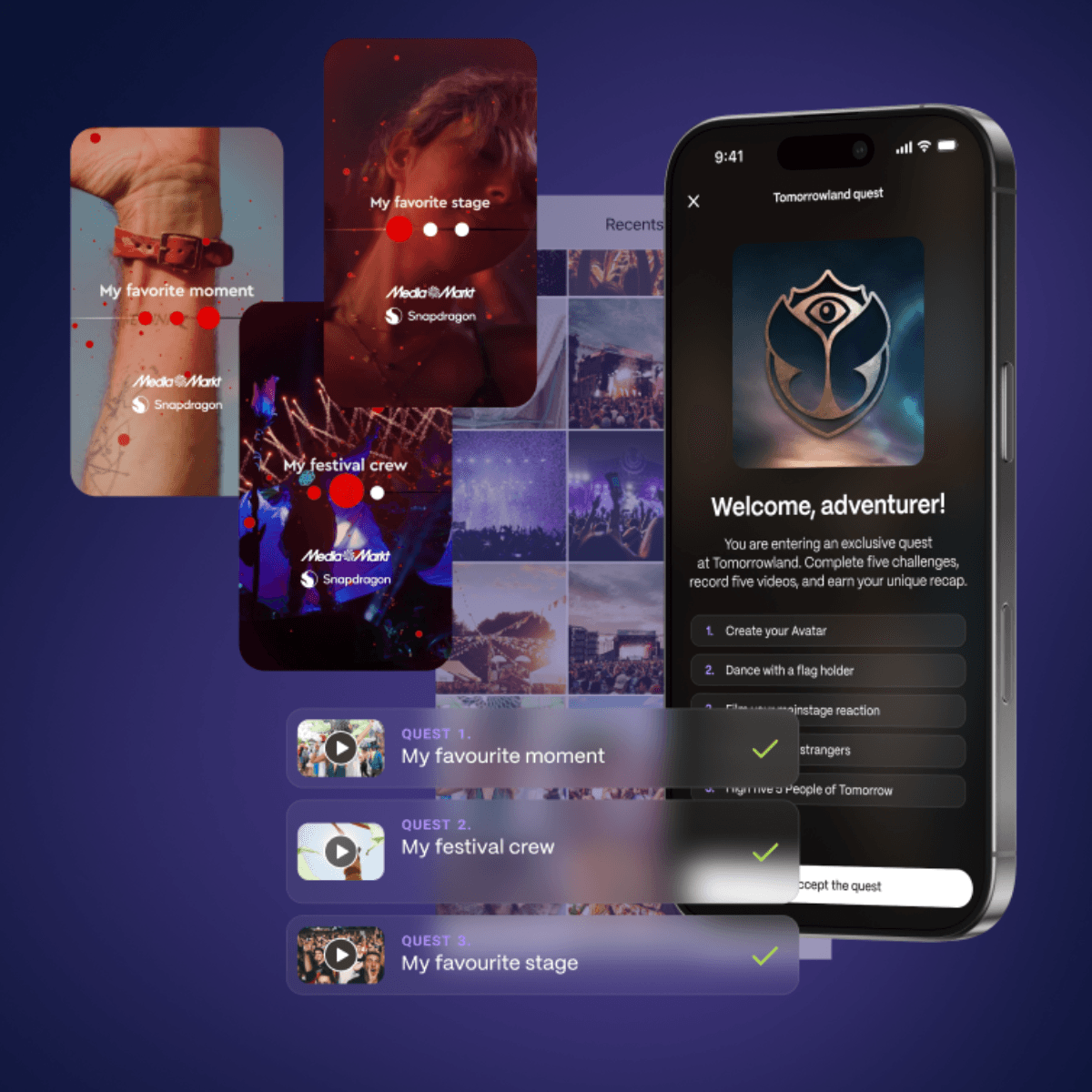
Arguably our most flexible template, Quest is designed to adapt to whatever adventure you want your fans to go on. The only limit is your creativity, and everybody wins.
Here’s a scenario: your sponsor has a fan zone set up by the arena, and they want to make sure fans stop by for the in-person experience. Using the Quest template, you can create a fan activation that requires people to upload footage of themselves completing challenges.
“High five three people outside of the [Sponsor] Fan Zone.”
“Get a selfie with the mascot inside the [Sponsor] Fan Zone.”
“Sing a song in the karaoke booth inside [Sponsor] Fan Zone.”
The template ensures that after completing every step, the fan gets a shareable recap video of their entire quest experience. And to raise the stakes, you can run a sponsored giveaway with every completed quest counting as an entry to win.
Why this works
Sponsor visibility? Check.
Measurable results for your next sponsor pitch? Check.
An exciting fan experience that your community will talk about? Check.
Just Upload
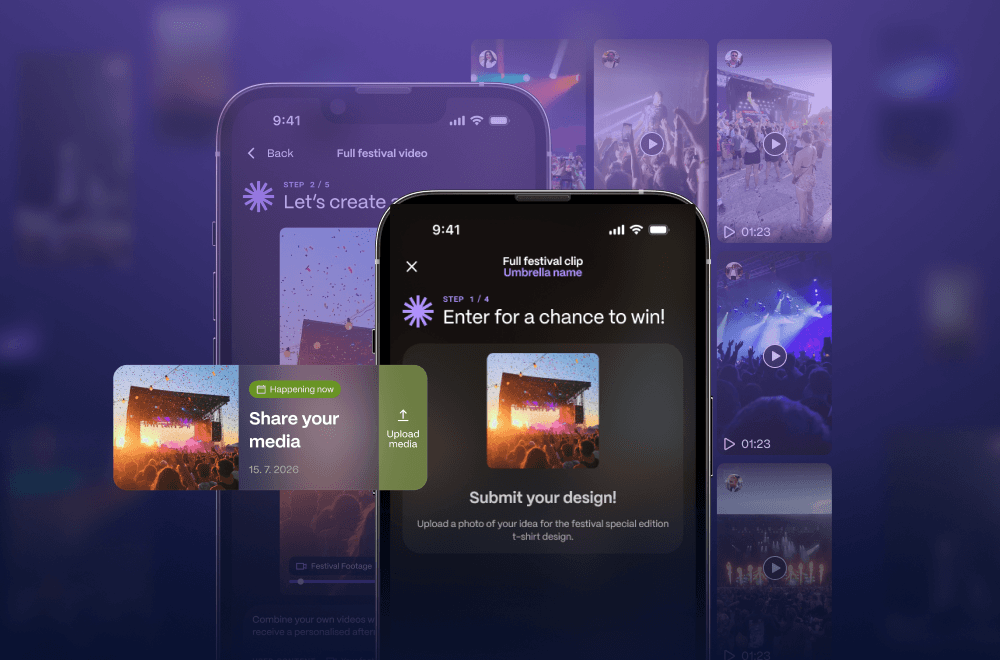
This is less of a video template and more of an activity template, because it doesn’t result in a personalised recap for your fans. A Just Upload template is what it says on the box. It’s purely for fans to upload content, and for you to collect it from them.
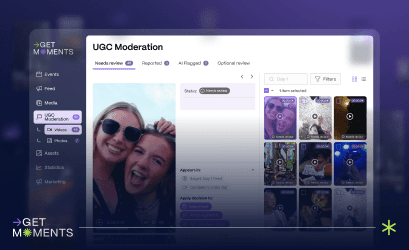
Once uploaded, it goes straight to your UGC library in Backstage, where it can be searched, sorted, and used in public communications.
The use cases here are for engagement activities like entering a giveaway, entering for a chance to be featured on the website, uploading a video that could be shown on the jumbotron, submitting a new jersey design—once again, the applications here are endless.
Whatever fan engagement you want to create, Get Moments is the infrastructure to make it happen.
Custom
Got a creative new idea for a fan engagement activity at your next event? We love working with fellow creative minds to build brand new, customised templates to pull off your next Big Idea. And your fans will love you for delivering exciting new experiences.
Want to showcase your community’s recaps and event footage? Add a Feed to your website and event app.